SKU
CP0300-LOOSE

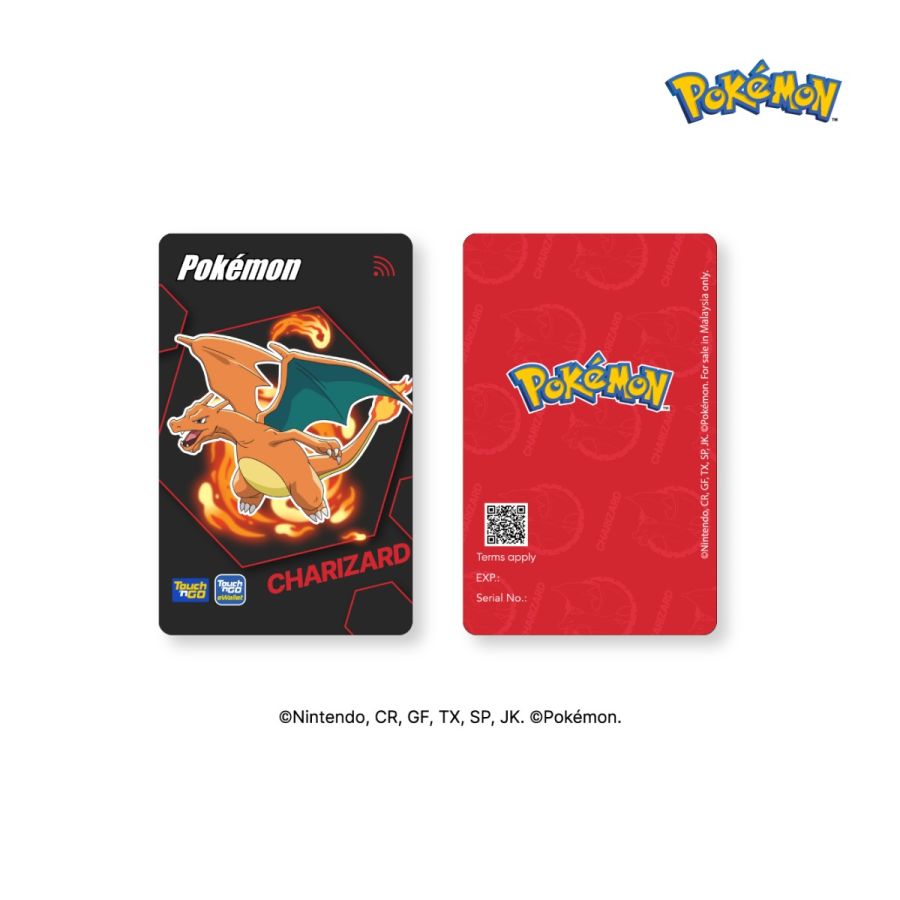
Touch 'n Go Pokémon Special Edition Cards (Charizard)

20159 Units Sold

- +
Product Description +

With Touch 'n Go Pokémon Special Edition Card, you get to enjoy:

  1. Convenient reload anytime, anywhere via Touch 'n Go eWallet, as the Card are fully equipped with NFC capability
  2. Contactless and cashless payment of Toll, Public Transit, and Parking with your Card
  3. Worry less when you can check your Card balance anytime via Touch 'n Go eWallet.


** This product can be used for Travel Pass (i.e. My50) purchases via TNG eWallet
(https://www.touchngo.com.my/consumer/transit/travelpass/)

How to Guide +

How to link your Touch 'n Go Pokémon Special Edition Card?

  • Step 1: Launch your Touch ‘n Go eWallet app and tap on “TNG Card”.
  • Step 2: Click on “+” symbol.
  • Step 3: Tap on the NFC symbol and scan your charm at the back of your phone for at least 5 seconds.
  • Step 4: There you go!

How to link your Touch 'n Go Pokémon Special Edition Card?

  • Step 1: Launch your Touch ‘n Go eWallet app and tap on “TNG Card”.
  • Step 2: Click on “Reload” button.
  • Step 3: Scan your charm at the back of your phone for at least 5 seconds.
  • Step 4: Enter reload amount and scan the charm again.
  • Step 5: There you go!


Shipping +

Klang Valley and Selangor: within 3 working days
Other addresses in Peninsular Malaysia : within 3 - 5 working days 

Product Description
How to Guide
Shipping

With Touch 'n Go Pokémon Special Edition Card, you get to enjoy:

  1. Convenient reload anytime, anywhere via Touch 'n Go eWallet, as the Card are fully equipped with NFC capability
  2. Contactless and cashless payment of Toll, Public Transit, and Parking with your Card
  3. Worry less when you can check your Card balance anytime via Touch 'n Go eWallet.


** This product can be used for Travel Pass (i.e. My50) purchases via TNG eWallet
(https://www.touchngo.com.my/consumer/transit/travelpass/)

How to link your Touch 'n Go Pokémon Special Edition Card?

  • Step 1: Launch your Touch ‘n Go eWallet app and tap on “TNG Card”.
  • Step 2: Click on “+” symbol.
  • Step 3: Tap on the NFC symbol and scan your charm at the back of your phone for at least 5 seconds.
  • Step 4: There you go!

How to link your Touch 'n Go Pokémon Special Edition Card?

  • Step 1: Launch your Touch ‘n Go eWallet app and tap on “TNG Card”.
  • Step 2: Click on “Reload” button.
  • Step 3: Scan your charm at the back of your phone for at least 5 seconds.
  • Step 4: Enter reload amount and scan the charm again.
  • Step 5: There you go!


Klang Valley and Selangor: within 3 working days
Other addresses in Peninsular Malaysia : within 3 - 5 working days 

Reviews

Write your review

Only registered users can write reviews. Please Sign in or create an account