


T&C apply . Shipping discounts do not apply to Touch 'n Go Enhanced Cards
Get your first order for 10% off ! Promo code : NEWSHOP10
Enjoy RM5 discount during your birthday in March! Use Promo code : APR26BPROMO
All shipping fees displayed inclusive of 6 % SST
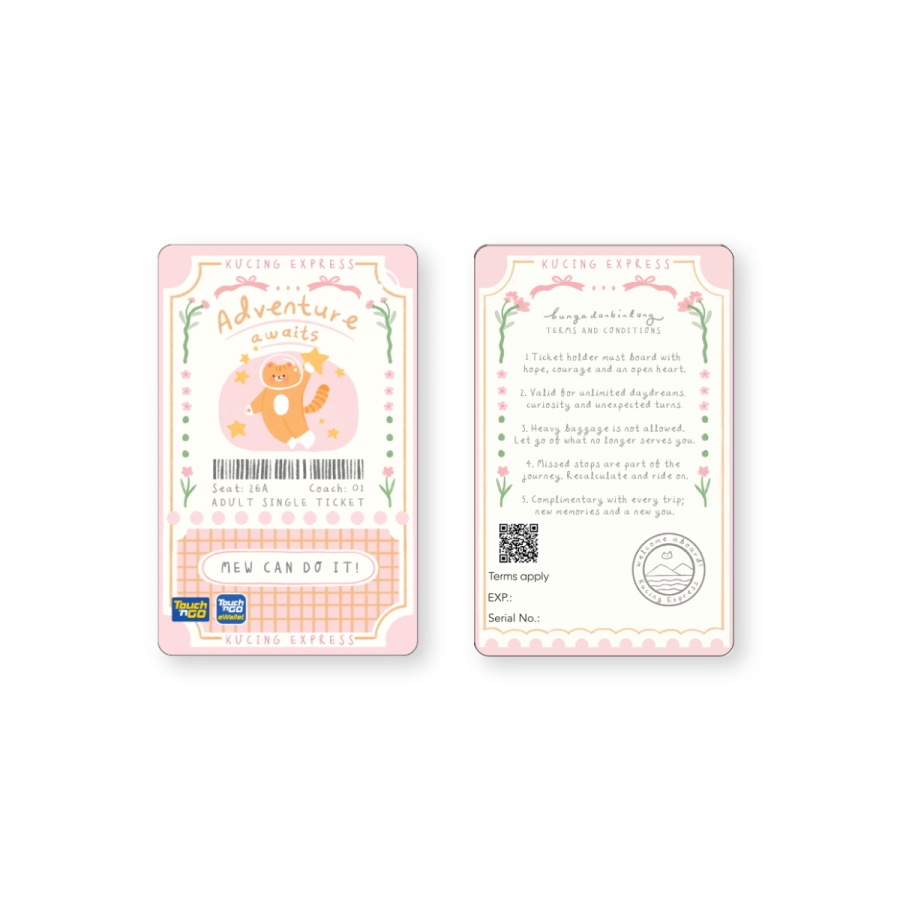
Touch ‘n Go x Bunga dan Bintang Limited Edition Cards - Mew Can Do It
1251 Units Sold


Kucing Express is calling! This card is your ticket for unlimited daydreams, curiosity and unexpected turns. Go on that adventure with hope, courage, and an open heart!
With Touch ‘n Go x Bunga dan Bintang Limited Edition Cards, you get to enjoy:
How to link your Touch ‘n Go x Bunga dan Bintang Limited Edition Card to Touch ‘n Go eWallet app?
How to reload your Touch ‘n Go x Bunga dan Bintang Limited Edition Card on the Touch ‘n Go eWallet app?
Klang Valley and Selangor: within 3 working days
Other addresses in Peninsular Malaysia : within 3 - 5 working days
Kucing Express is calling! This card is your ticket for unlimited daydreams, curiosity and unexpected turns. Go on that adventure with hope, courage, and an open heart!
With Touch ‘n Go x Bunga dan Bintang Limited Edition Cards, you get to enjoy:
How to link your Touch ‘n Go x Bunga dan Bintang Limited Edition Card to Touch ‘n Go eWallet app?
How to reload your Touch ‘n Go x Bunga dan Bintang Limited Edition Card on the Touch ‘n Go eWallet app?
Klang Valley and Selangor: within 3 working days
Other addresses in Peninsular Malaysia : within 3 - 5 working days
Write your review
Validate your login
Sign In
Create New Account