


T&C apply . Shipping discounts do not apply to Touch 'n Go Enhanced Cards
Enjoy RM 5 discount on your shipping fees with min. purchase RM 60
Enjoy RM5 discount during your birthday in November! Use Promo code : NOV26BPROMO
IMPORTANT NOTICE: Touch ‘n Go Shop Shipping Fees will be subject to 6% service tax (SST) effective from 2nd September 2026
Spend RM 60 Free One (1) Touch 'n Go Limited Edition Rabbit Card. T&C apply
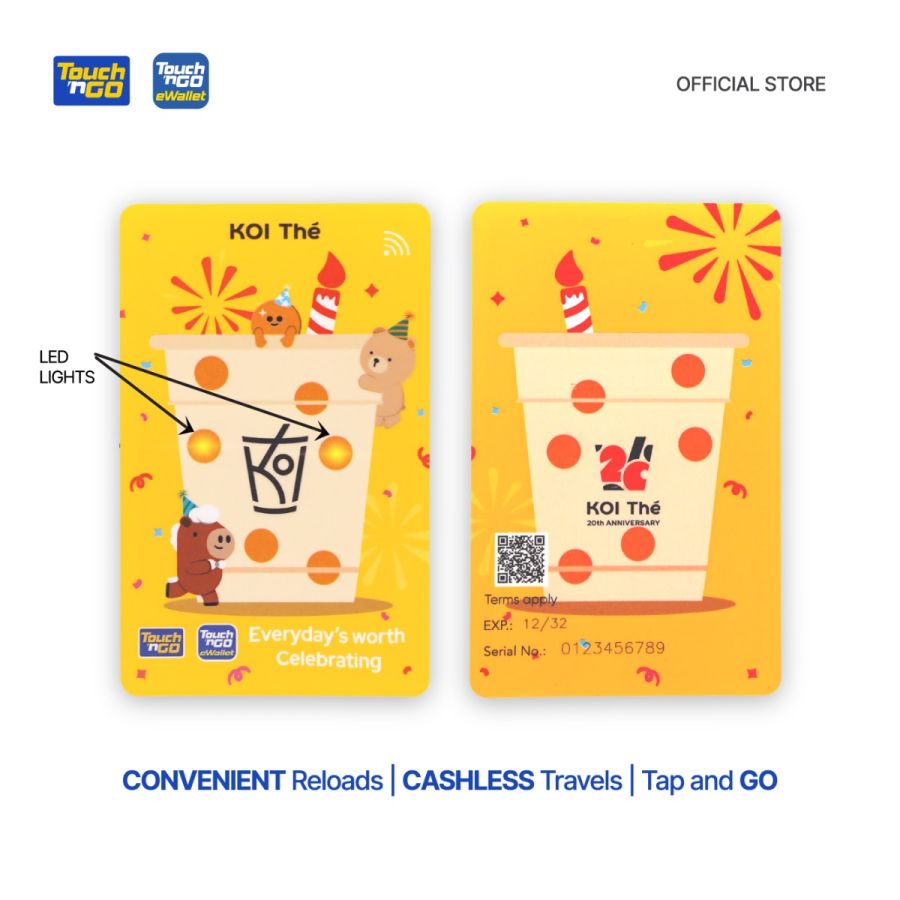
With Touch ‘n Go x KOI Limited Edition LED Card, you get to enjoy:
1. Convenient reload anytime, anywhere via Touch 'n Go eWallet, as the card comes with NFC technology
2. Contactless and cashless payment of Toll, Public Transit, and Parking with your card
3. Worry less when you can check your card balance anytime via Touch 'n Go eWallet
How to link your Touch ‘n Go x KOI Limited Edition LED Card to Touch ‘n Go eWallet app?
Step 1: Launch your Touch ‘n Go eWallet app and tap on “Cards”.
Step 2: Select “TNG Card” and click on “+” symbol.
Step 3: Tap on the NFC symbol and scan your card at the back of your phone for at least 5 seconds.
Step 4: There you go!
How to reload your Touch ‘n Go x KOI Limited Edition LED Card on Touch ‘n Go eWallet app?
Step 1: Launch your Touch ‘n Go eWallet app and tap on “Cards”.
Step 2: Select “TNG Card” and click on “Reload” button.
Step 3: Scan your card at the back of your phone for at least 5 seconds.
Step 4: Enter reload amount and scan the card again
Step 5: There you go!
** This product can be used for Travel Pass (i.e. My50) purchases via TNG eWallet
Klang Valley and Selangor: within 3 working days
Other addresses in Peninsular Malaysia : within 3 - 5 working days
With Touch ‘n Go x KOI Limited Edition LED Card, you get to enjoy:
1. Convenient reload anytime, anywhere via Touch 'n Go eWallet, as the card comes with NFC technology
2. Contactless and cashless payment of Toll, Public Transit, and Parking with your card
3. Worry less when you can check your card balance anytime via Touch 'n Go eWallet
How to link your Touch ‘n Go x KOI Limited Edition LED Card to Touch ‘n Go eWallet app?
Step 1: Launch your Touch ‘n Go eWallet app and tap on “Cards”.
Step 2: Select “TNG Card” and click on “+” symbol.
Step 3: Tap on the NFC symbol and scan your card at the back of your phone for at least 5 seconds.
Step 4: There you go!
How to reload your Touch ‘n Go x KOI Limited Edition LED Card on Touch ‘n Go eWallet app?
Step 1: Launch your Touch ‘n Go eWallet app and tap on “Cards”.
Step 2: Select “TNG Card” and click on “Reload” button.
Step 3: Scan your card at the back of your phone for at least 5 seconds.
Step 4: Enter reload amount and scan the card again
Step 5: There you go!
** This product can be used for Travel Pass (i.e. My50) purchases via TNG eWallet
Klang Valley and Selangor: within 3 working days
Other addresses in Peninsular Malaysia : within 3 - 5 working days
Write your review



Login and Registration Form